posted on Friday, February 3, 2023 in Precision Ag
Most of us are used to having to buy a different activation for each thing we wanted our displays to do. Typically, this meant an AutoTrac activation on the tillage tractor, AutoTrac and Section Control on the planting tractor and AutoTrac and RowSense on the combine display. With Gen 4 displays that has changed.
Activation: One and done. Once an activation is on the display, it stays with that display for its life. Activations are used for integrated displays, think 4600 Command Center. In the future you may hear these referred to as “Permanent License”. These have a higher upfront cost.
Subscription: Paid to use for a period of time, usually one year. Subscriptions are used for universal displays, such as 4640s. In the future you may hear these referred to as “Renewable License”. Subscriptions have a lower up front cost, but are generally more expensive over the life of the display.
Levels:
Basics (typically included with the purchase of a new display)
Premium 3.0
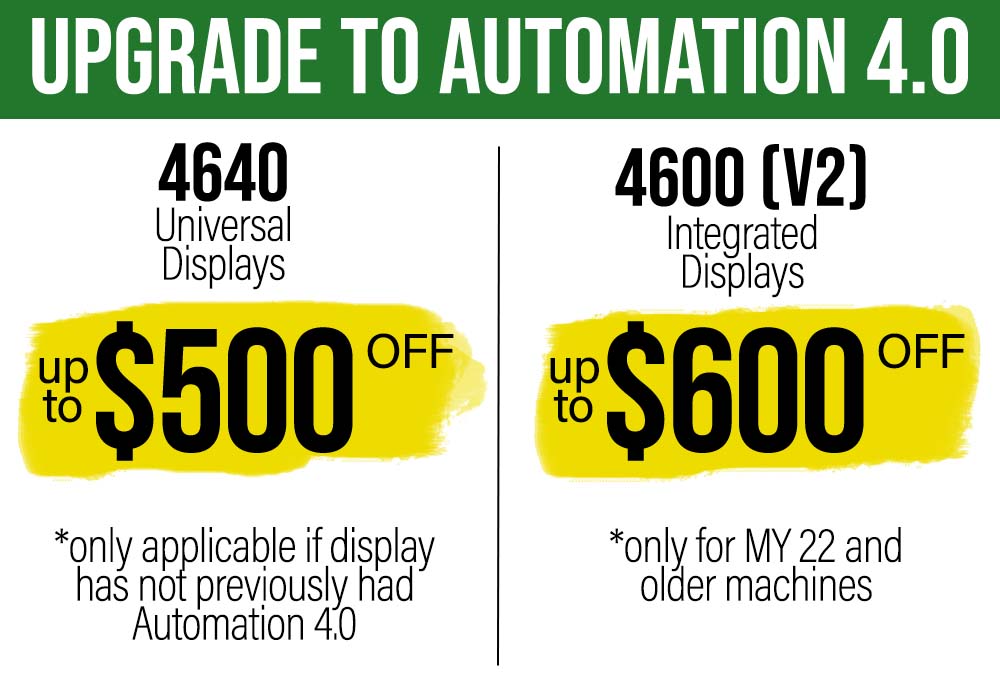
Automation 4.0
How to check:
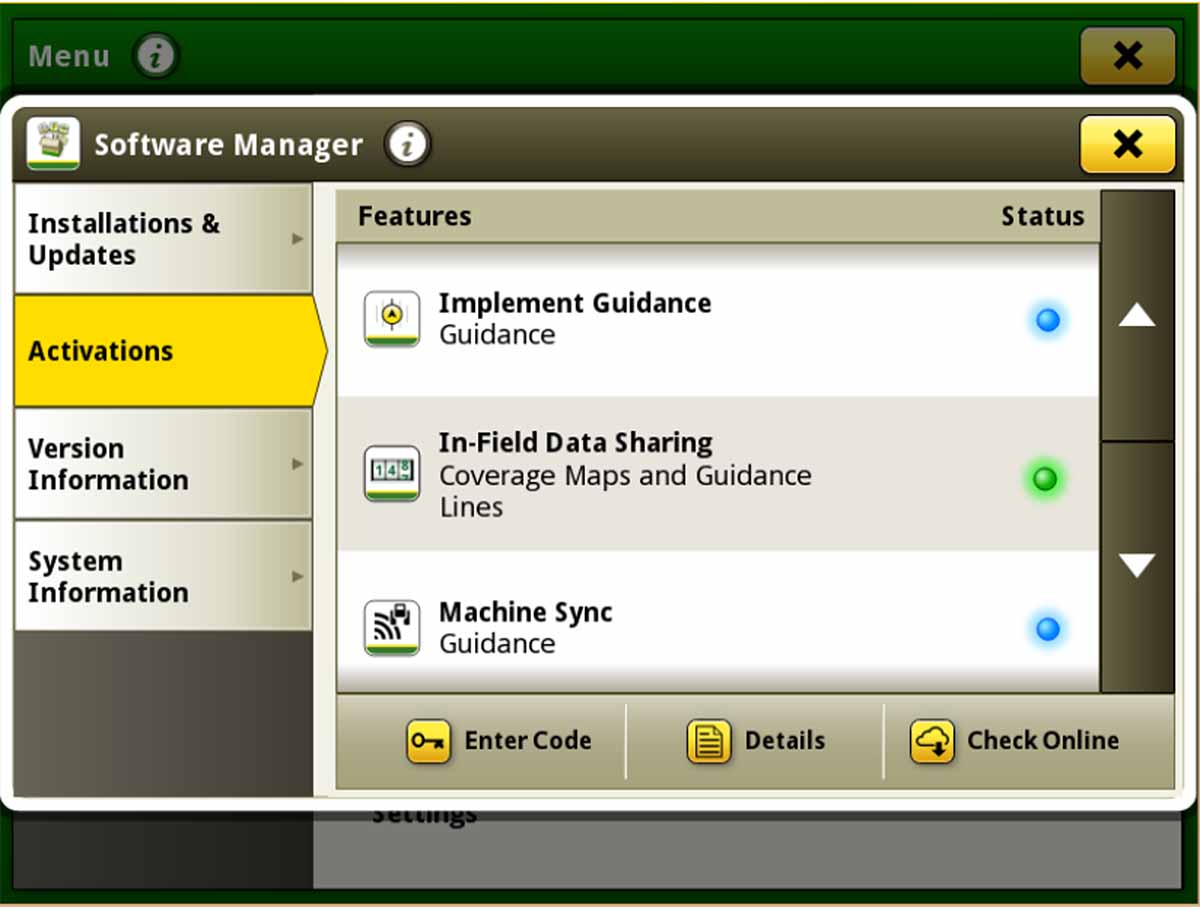
Go to Menu and then select System from the left side of your screen. From here go into Software Manager and then choose activations from the left.
Green Dot: This feature is activated. If you have a CommandCenter display this will work for the life of your machine. If you have a universal display (4640) this is a yearly subscription.
Blue Dot: Demo time. This feature is unlocked for 15 hours of use. Feel free to try it out. You will get a message with the demo time runs out.
Grey Dot: Not available. Contact your account manager for options.







.svg)